We continue to improve Roomdoo with a package of new features and fixes, all of which are highly requested by our community. This update is specifically designed to streamline daily work, reduce operational load, and improve the visibility of key information in the PMS.
Here are the main new features:
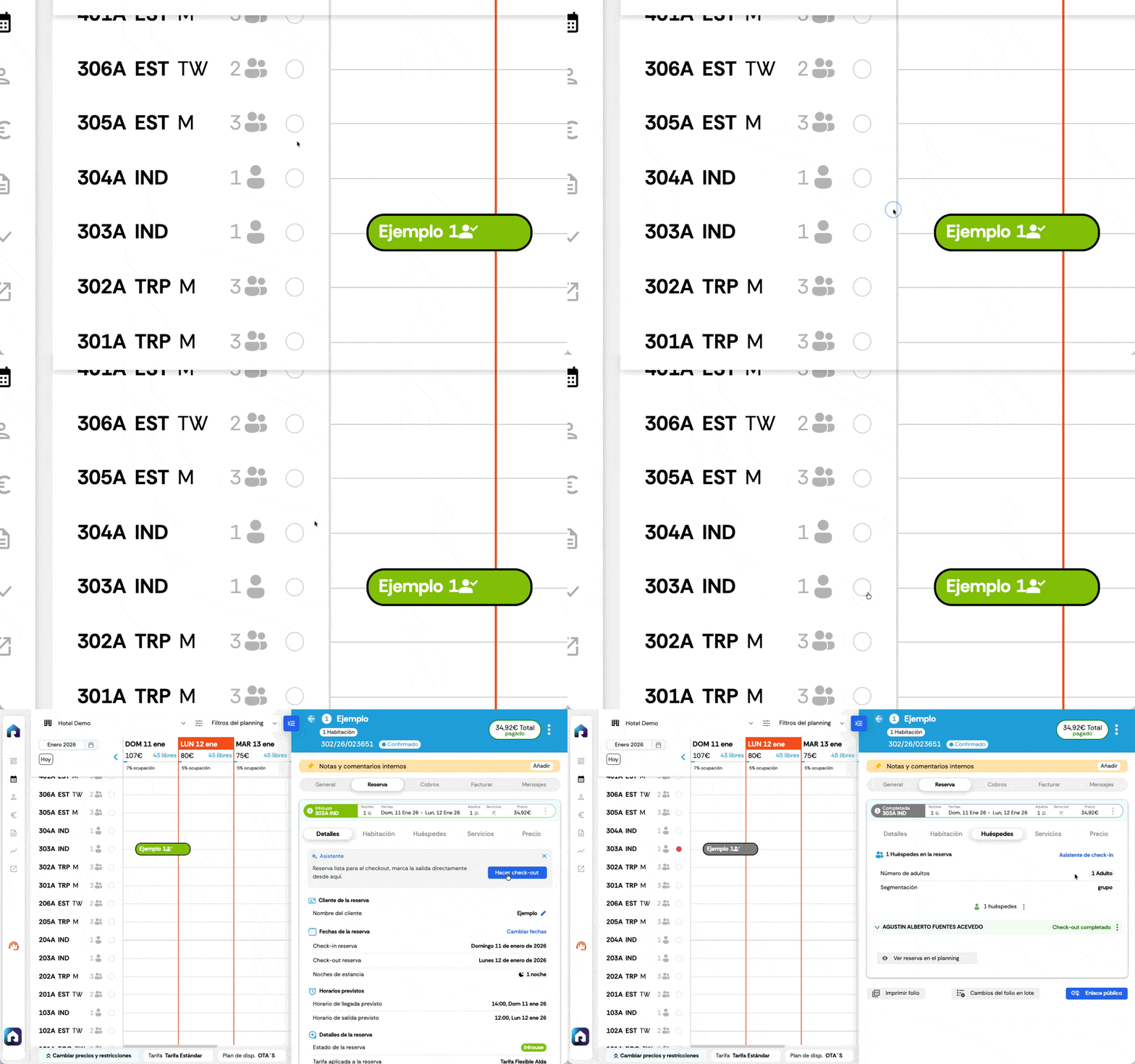
New color for reservations with pending check-out to be billed
From now on, reservations that have already checked out but have not yet been invoiced will be displayed in a new color on the schedule.
It serves as a quick visual reminder to keep your billing up to date and allows you to identify these reservations at a glance, without having to enter them one by one.

Reservation colors with check-out:
- NEW Dark brown: invoice pending
- Gray: completed and paid for
- Dark purple: with charges pending
We will soon be adding specific listings to filter reservations by billing status, payment status, and other related criteria.
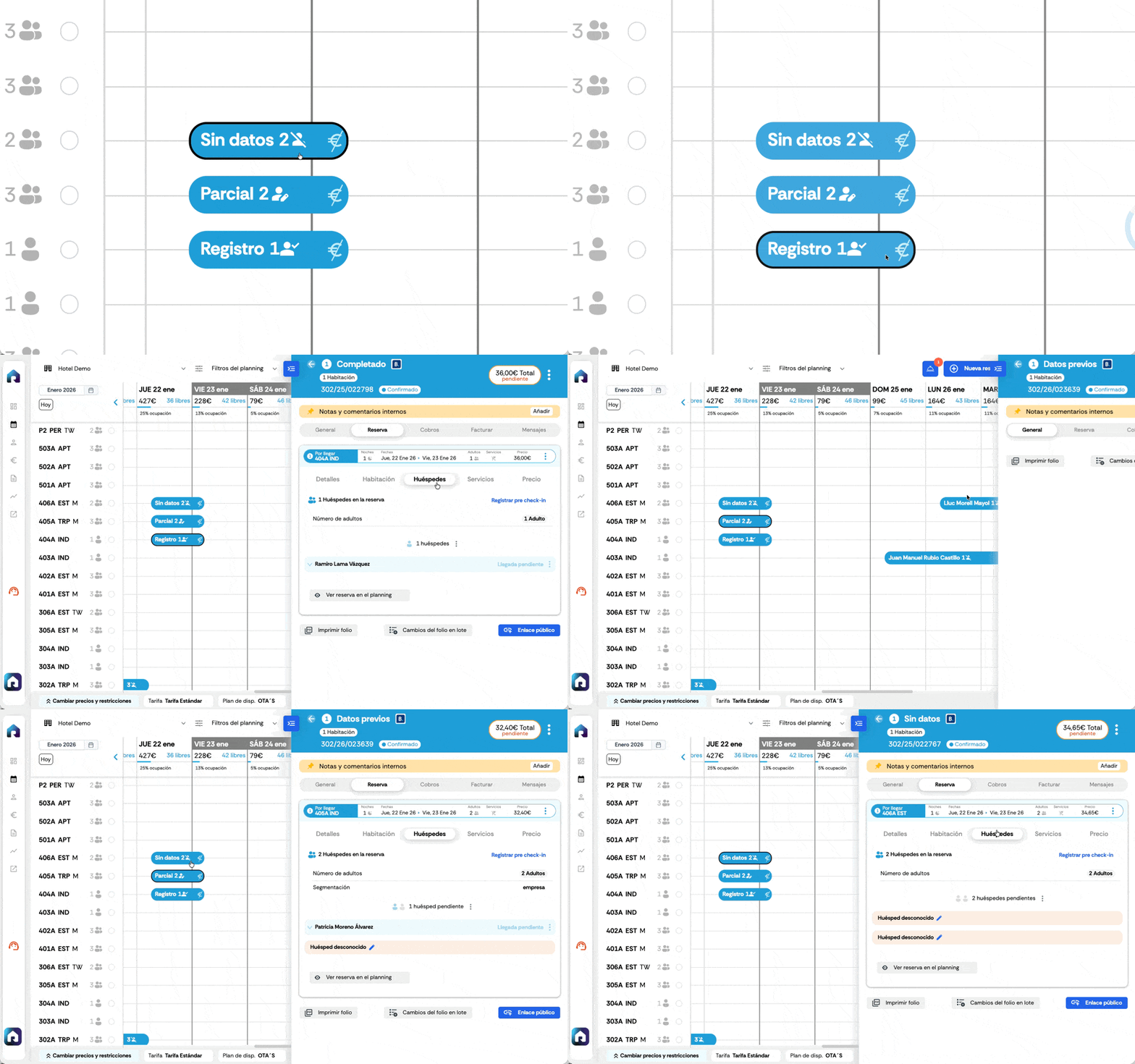
Check-in status visible directly in the schedule
New icons have been added to reservations in the schedule to indicate the status of check-in data:

 No data recorded in the reservation
 Partial data: a guest can be checked in, but there are others without data
 All check-ins with completed data
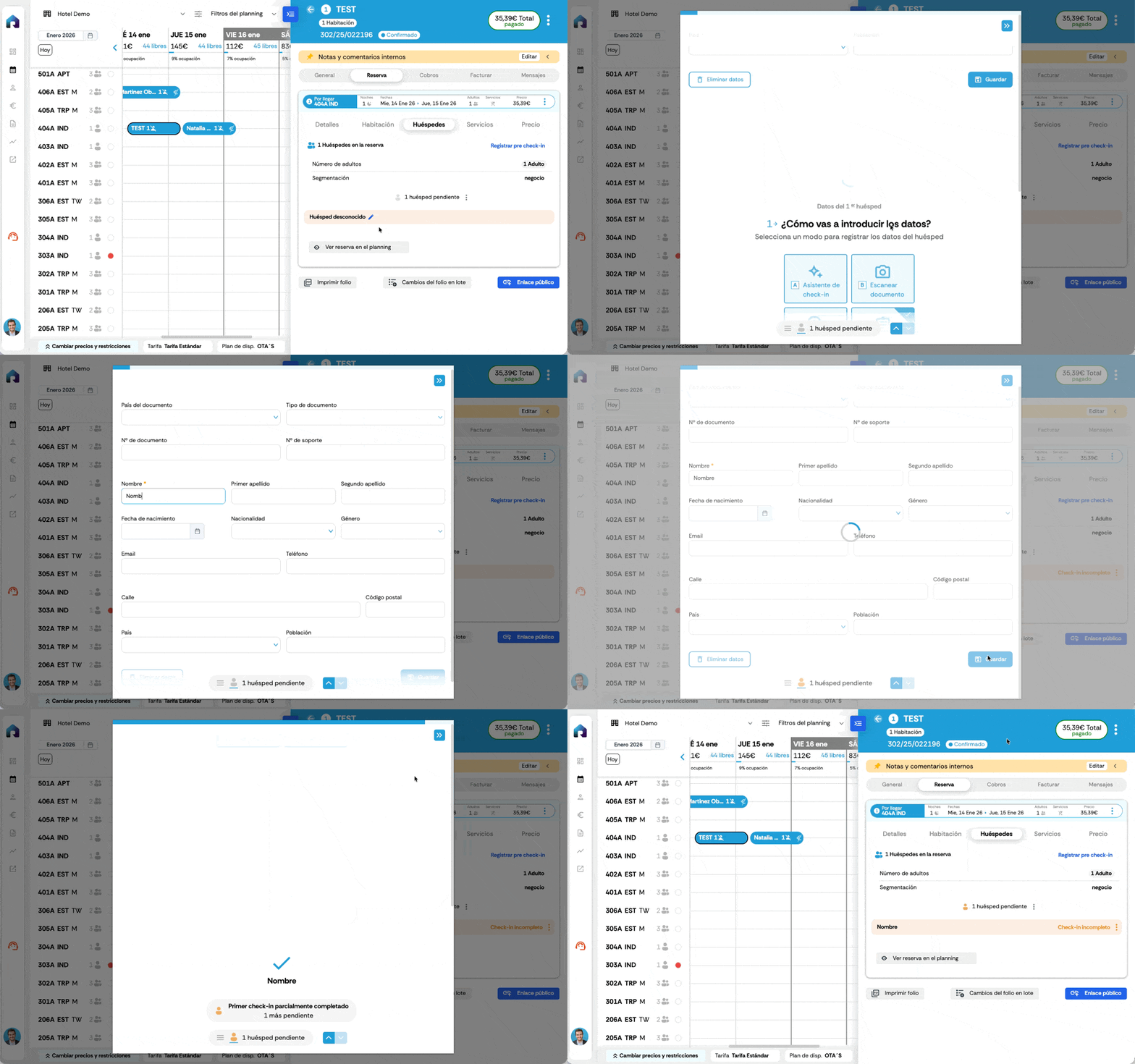
Save guest data with name only
From now on, the only mandatory information required to save a check-in is the guest's name (not to mark arrival).
This makes it easy to create roomings and assign rooms quickly, pre-register guests without blocking the flow to complete the data later from the check-in wizard.
New cleaning status from the schedule
Now you can mark and view the cleaning status (clean/dirty) directly from the schedule, facilitating coordination with housekeeping and avoiding misunderstandings.
The room or unit will automatically be marked as "dirty" upon check-out.
We added guest search
In addition to searching by customer or reservation holder, the planning search engine now allows you to search by guest name, displaying all reservations that match the search criteria.

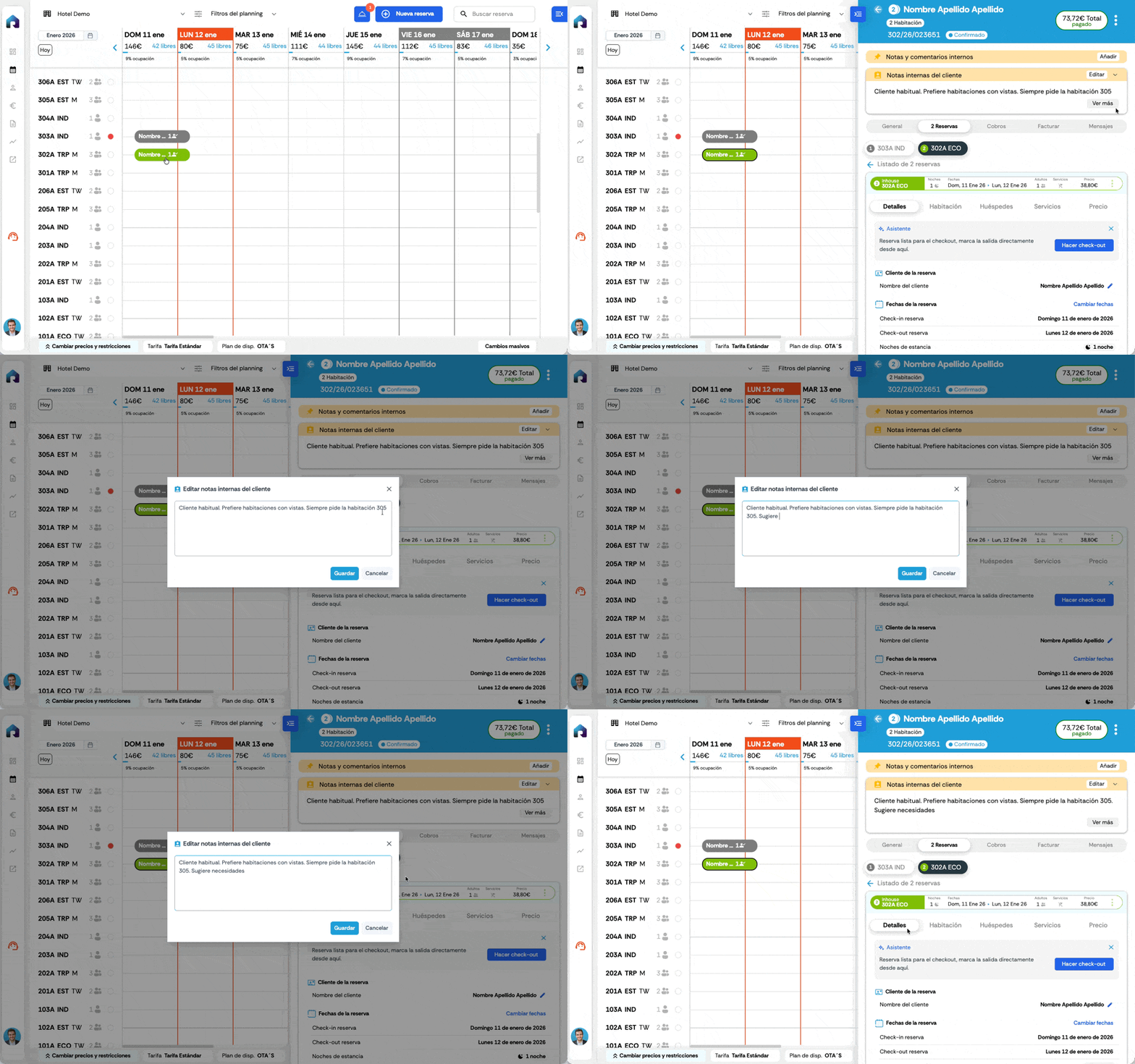
Add and view "Internal customer notes" in the reservation
Whenever there are internal notes for a customer, they will be displayed on all their reservations. More context and better coordination between the team.
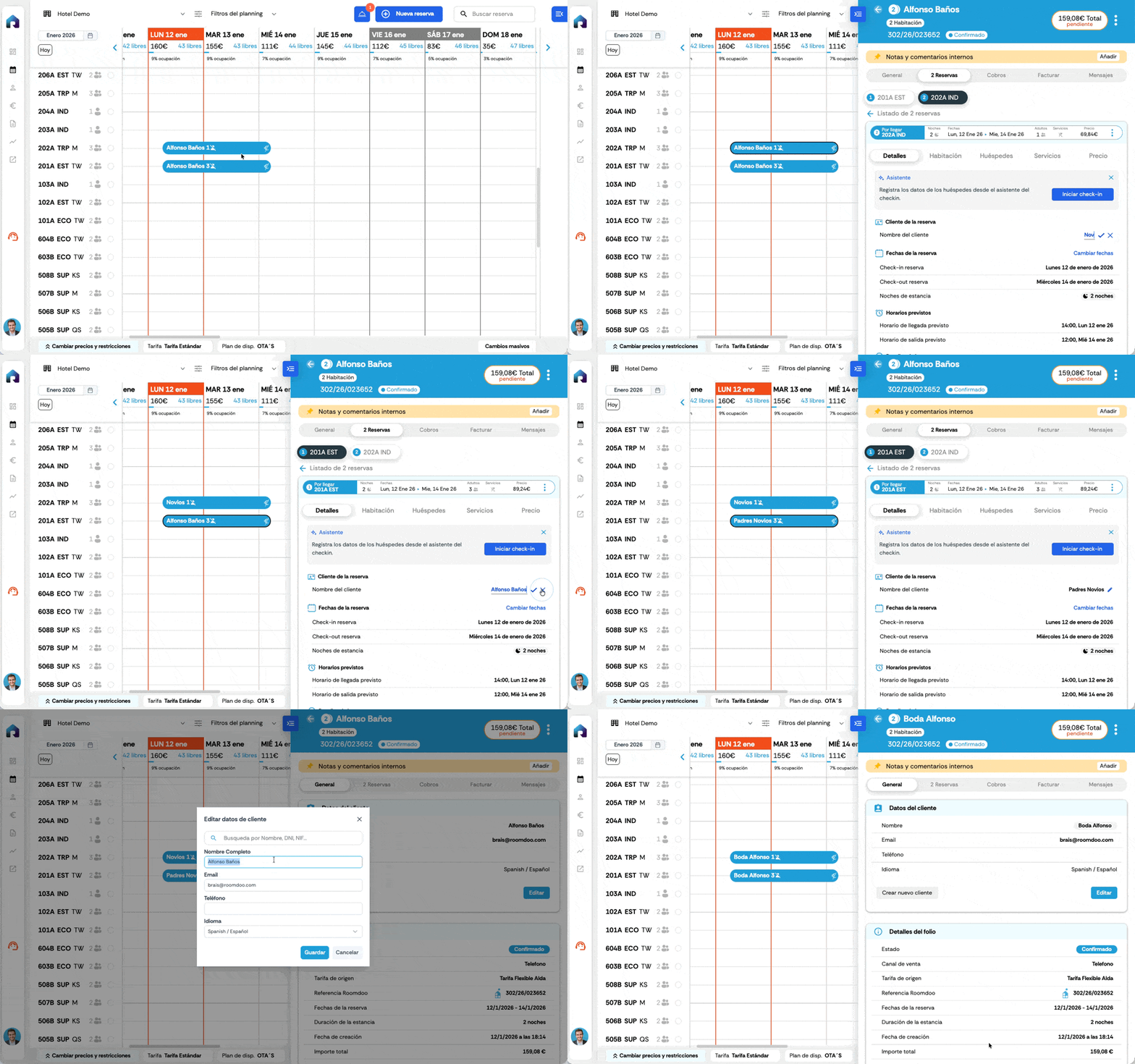
Edit reservation and group name
The management of visible data in the header and in the schedule has been simplified. Now the name of the reservation that appears in the schedule can be edited from the details tab:
Change reservation name: Reservation > Details > Guest name
Also the full name of the group:
Change group name: General > Customer data > Edit > Full name
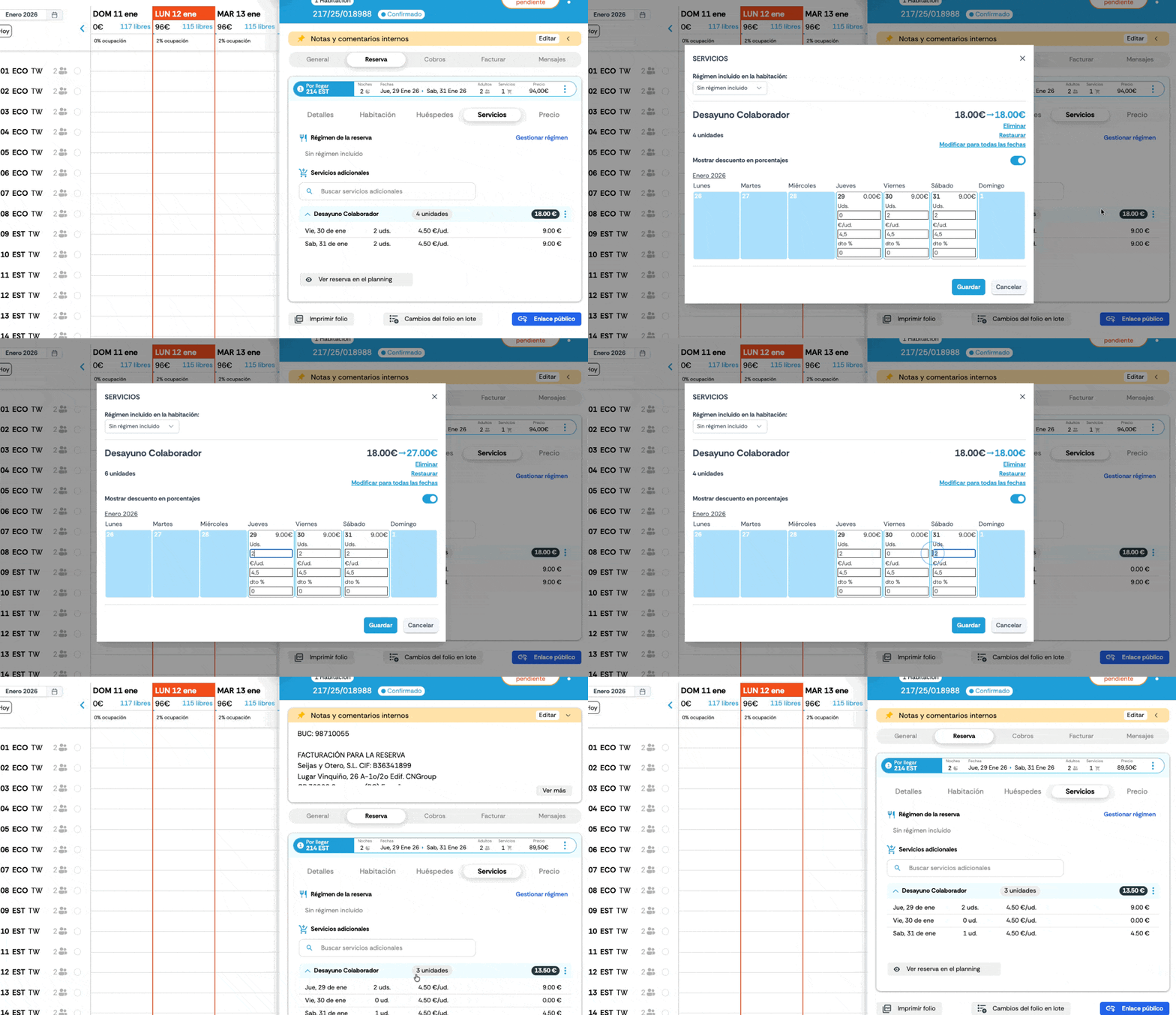
Edit dates of services used per night
You can now edit the dates of service consumption per overnight stay directly from the app without accessing Odoo.
You can now edit the units for each service throughout all the dates of the reservation, allowing you to add or remove food and beverage services per night for each day of the stay.
Massive changes limited to a two-year outlook
Error correction: to avoid writing overloads and problems with OTAs, massive changes in pricing and restriction planning are limited to a maximum range of 2 years for each modification.
An update born from the community
All these improvements respond to real user requests, detected in the daily use of Roomdoo.
We continue to listen, prioritizing what has the most impact and improving the actual experience of hotels and accommodations.
We will tell you more news soon.